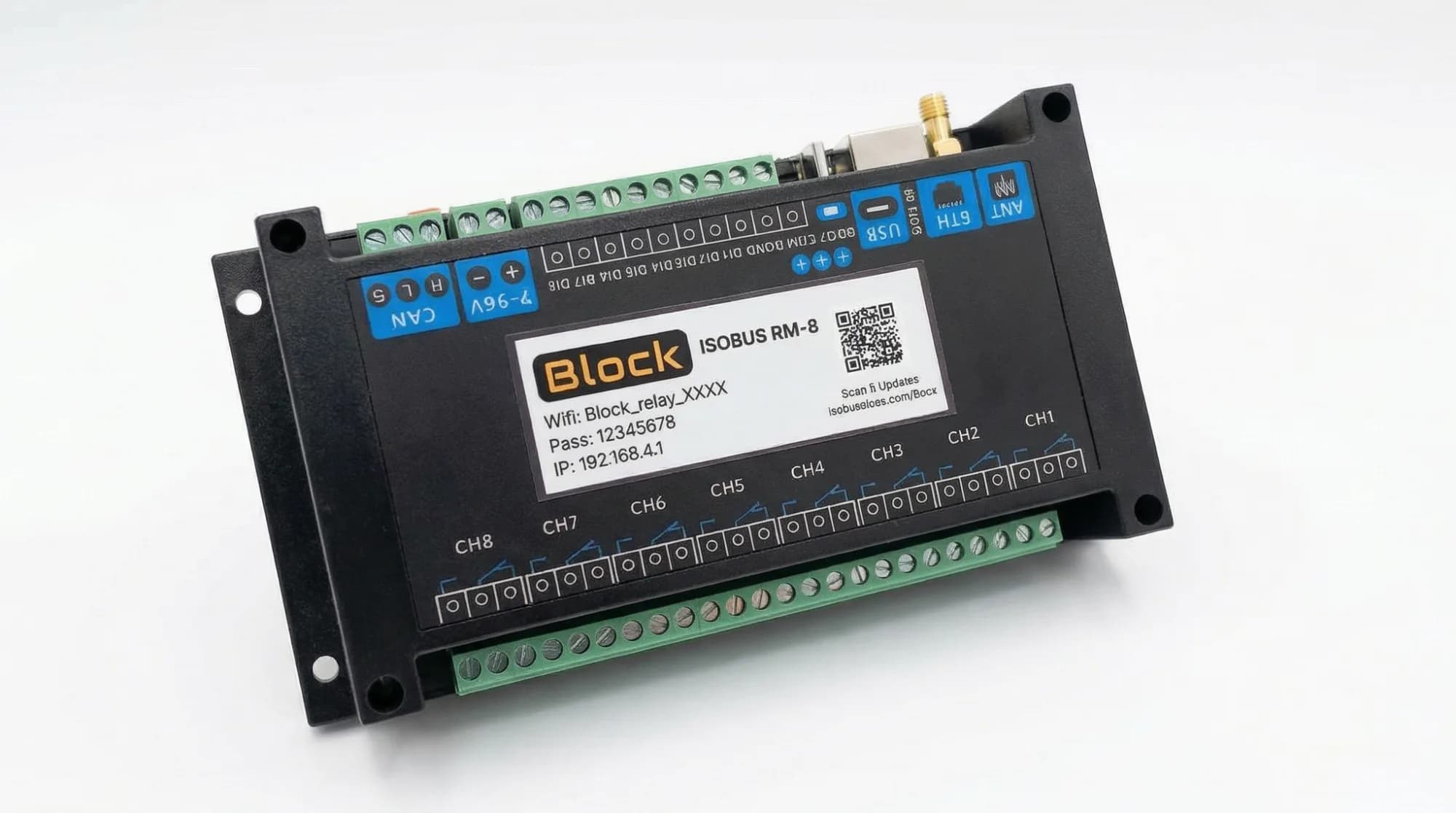
Relay module with a pre-built 1.8 m harness for the in-cab ISOBUS connector. Plug it in and start assigning buttons.
Free shipping on all orders.
Plug in one ISOBUS cable, wire your loads, then set up your buttons from the tractor screen.
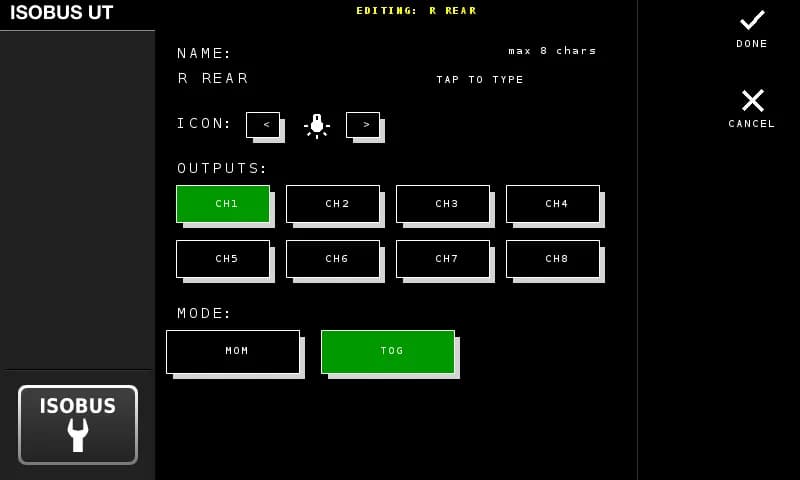
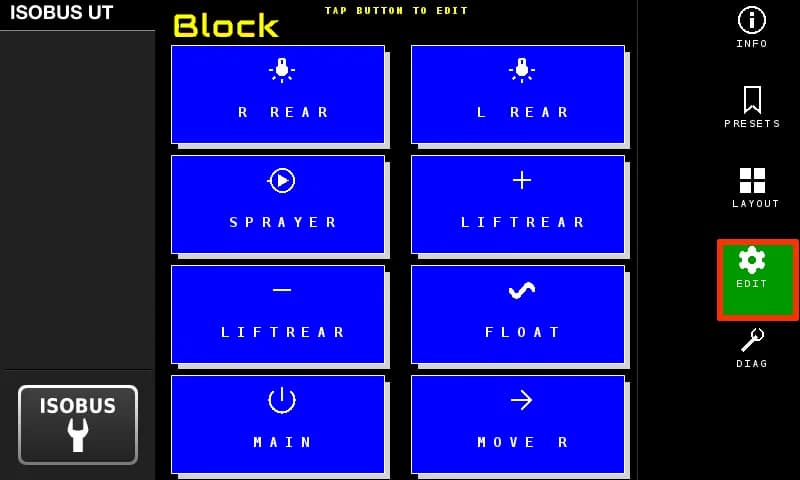
Type a name (up to 8 characters), pick an icon, select which outputs it controls, and choose toggle or momentary mode.
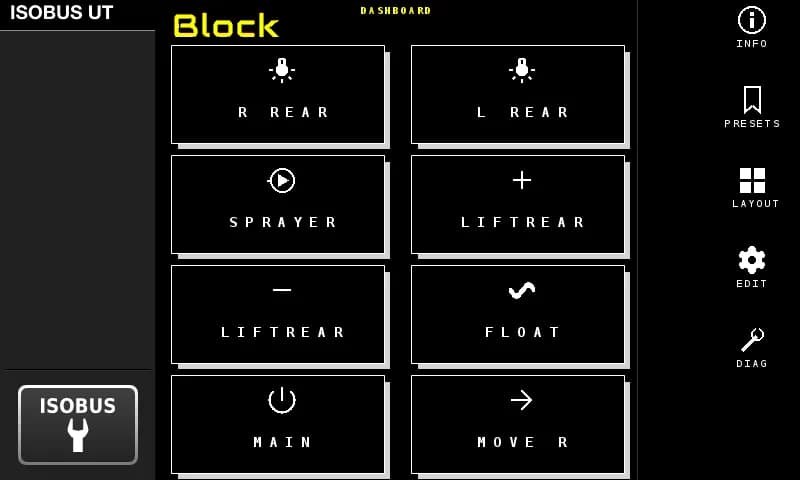
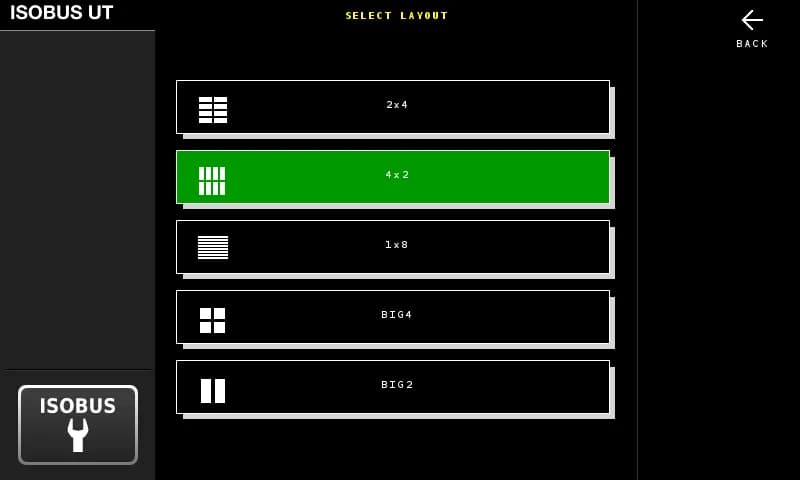
Your buttons show up on the tractor display with the names and icons you chose. Pick a layout that fits your setup.
Bare module for integrators. You wire the harness and the output side yourself.
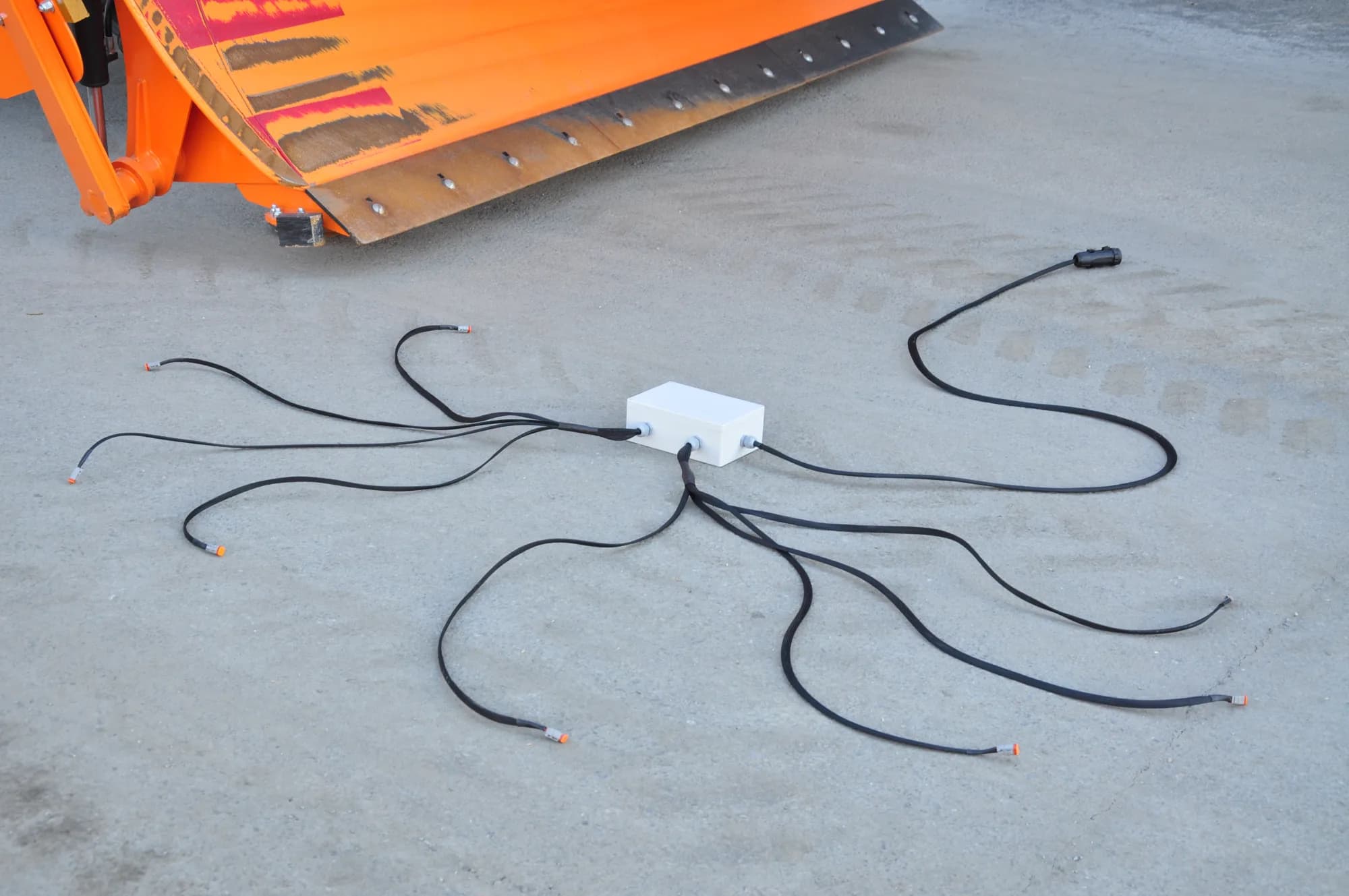
See this optionFull kit in an IP-rated box. Bolt it on the implement, run one cable to the tractor.
See this option| Specifications | |
|---|---|
| control | Tractor screen (CH1–CH8, TOG / MOM) and AUX-N joystick or armrest button |
| includes | Relay module + 1.8 m harness (in-cab ISOBUS connector + pre-stripped wires for screw terminals) |
| warranty | 5 years |
| connector | In-cab ISOBUS connector (standardized across tractor brands) |
| maxCurrent | 10A per channel |
| installation | In-cab mount; relay outputs wired to your loads separately |
| harnessLength | 1.8 m |
| relayChannels | 8 (NO, COM, NC per channel) |
| supplyVoltage | Powered via ISOBUS |
| maxSwitchingVoltage | 250V AC / 30V DC |
Same tractor. Same cab. Completely different setup.
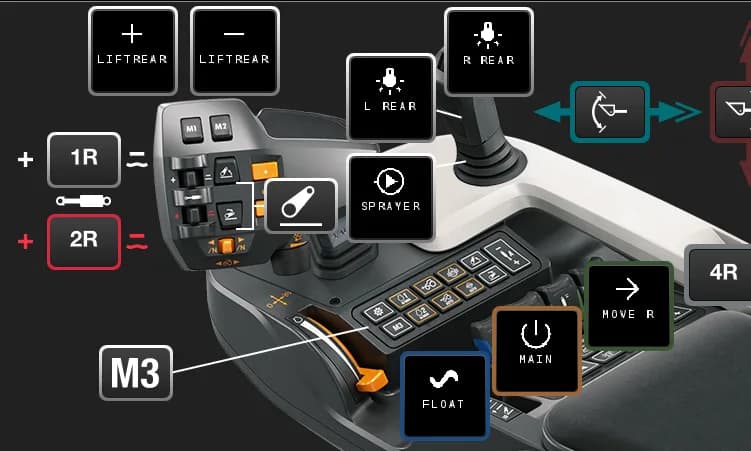
The module shows up in your tractor's AUX-N menu with 8 assignable inputs. Pick a button, pick an output, done. Your assignments are stored in the tractor — reconnect next season and they're still there.
One button press, multiple relays. Open a valve and turn on a work light at the same time.
Toggle stays on until you press again. Momentary activates while you hold. Set it per channel.
Name each channel (up to 8 characters) and pick an icon. Your names and icons show up on the screen and in the joystick assignment page.

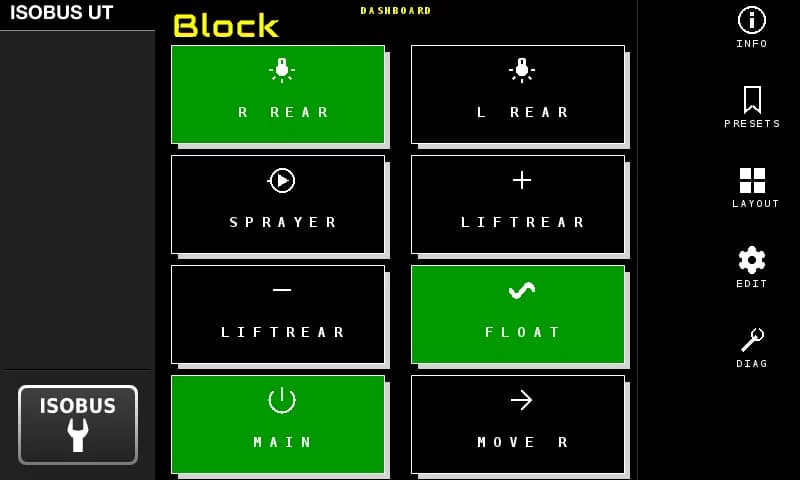
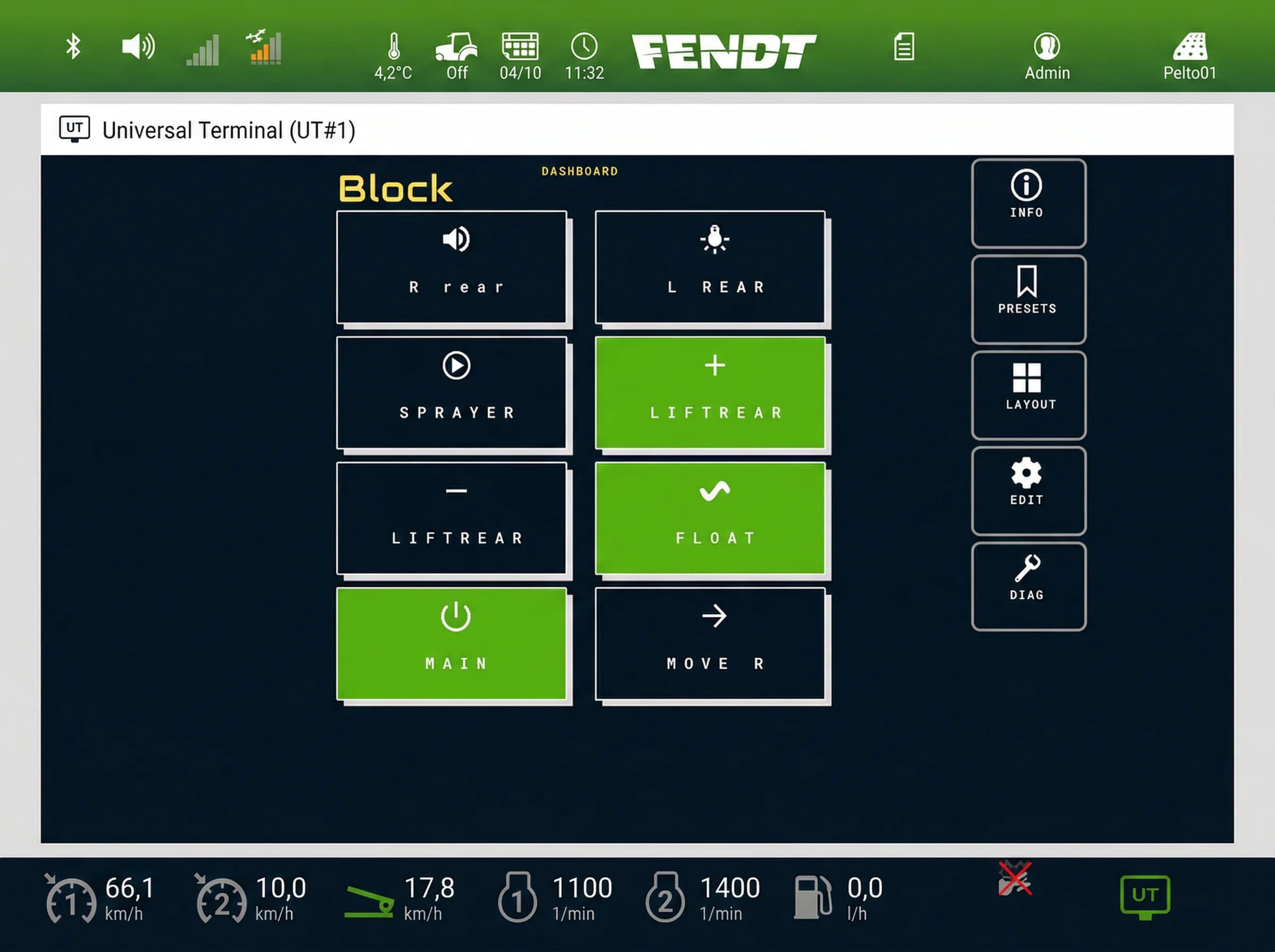
Custom names and icons on the Virtual Terminal — active channels highlighted in green

The actual screens you'll use — button editor, layout options, AUX-N assignment, and more.


Name each button, pick an icon, choose outputs and mode
Shows up on your Virtual Terminal. Works with any ISOBUS tractor — John Deere, Case IH, New Holland, Kubota, AGCO.
Test outputs, check status, update firmware. Connect with your phone — open a browser, no app needed.
7–36V DC input. Any ISOBUS tractor, 12 V or 24 V system.
Designed in Finland. CE certified. Built for the field, not the bench.

8 × 10A relay outputs. Shows up on the tractor screen. Switch work lights, solenoids, and valves from AUX-N buttons.

Module pre-mounted in a weatherproof box. One ISOBUS cable to the tractor, eight 2-pin Deutsch connectors out. Bolt it on, plug it in.

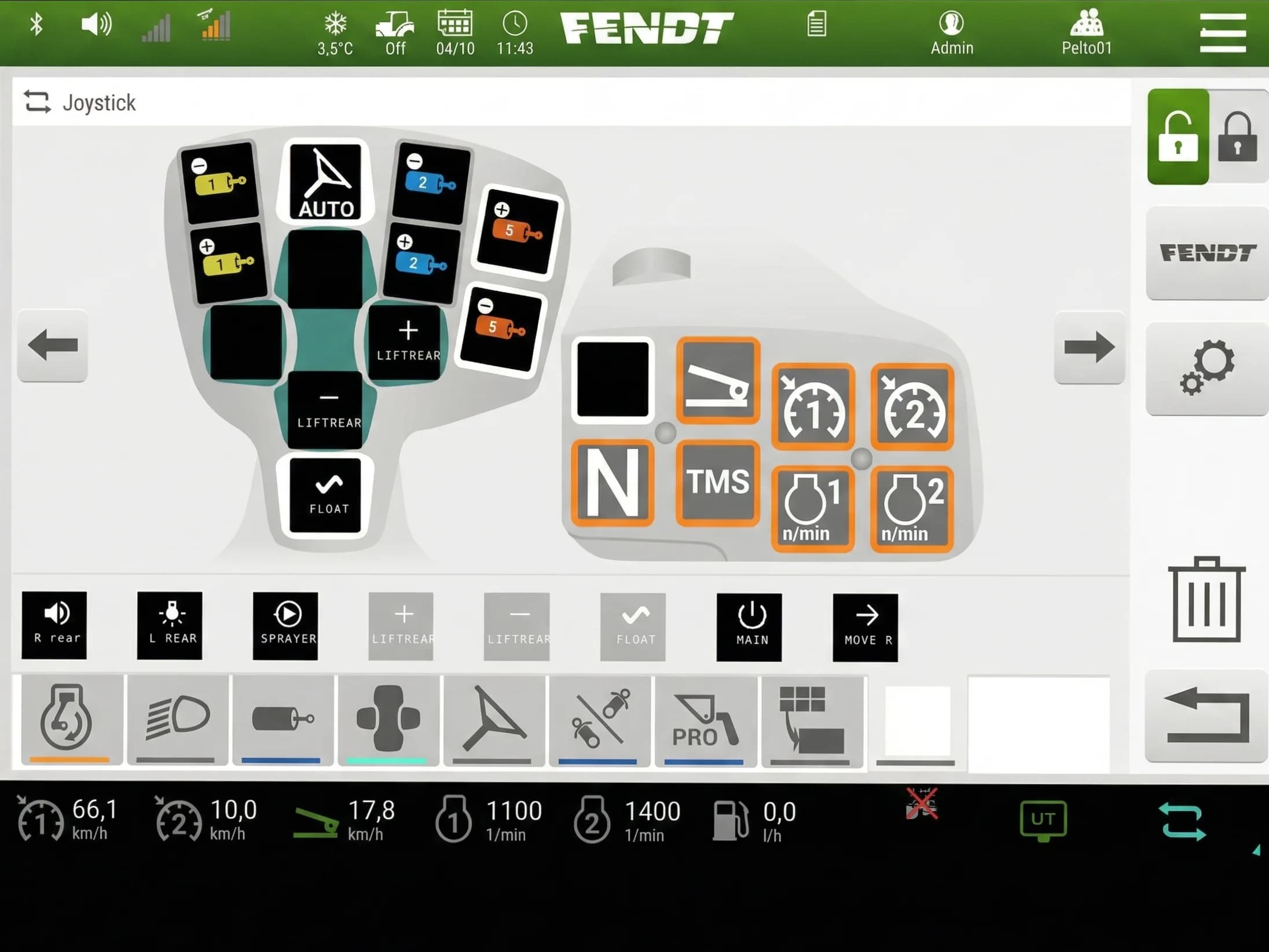
Open the tractor's AUX-N menu. Your named buttons appear there — assign them to any joystick or armrest button you want.

Your joystick button switches the relay. Active outputs light up green on the screen. That's the whole system.
Same names and icons carry over to the joystick button assignments
| Supply voltage | 7–36V DC |
| Relay channels | 8 (NO, COM, NC per channel) |
| Max current | 10A per channel |
| Max switching voltage | 30V DC / 250V AC |
| Protection | Optocoupler isolation, power isolation |
| Enclosure | Rail-mount ABS housing (indoor use; requires weatherproof enclosure for outdoor installation) |
| Dimensions | 3.5 × 6.9 in (90 × 175 mm) |
| Weight | 1.1 lb (500 g) |
| Operating temperature | −22°F to +122°F |
| Warranty | 5 years |